Market signs and price tags
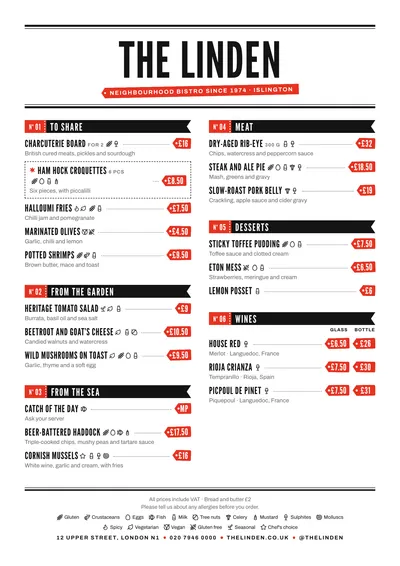
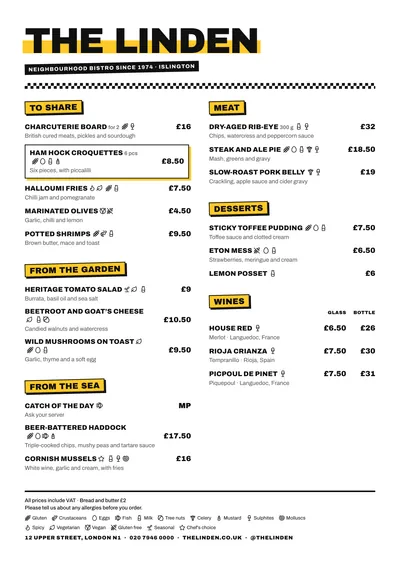
Market recalls the stalls of a covered food market. The venue’s name is set in League Gothic, tall, narrow and in capitals, between heavy rules like a board, with the subtitle inside a red tag. Each section is a sign on a black band, with a take-a-number ticket on the left (“No. 01”) separated by a perforated line, and the band ends in a swallowtail.
The prices are the most eye-catching part: each figure sits on a red tag with its hole, hand-cut and slightly crooked, like the ones pinned into the produce. Dishes are set in narrow capitals, with dot leaders to the tag. A featured dish is a cut-out voucher with its scissor line.
The menu it suits
Seafood bars, food halls, produce-led bars, fish and chip shops and street food stalls. Prices by weight or per piece fit on the tag just like a normal price, and with several price columns each figure gets its own tag under its heading.
Give each section a short name, because it is set in capitals on the band: “From the sea”, “Fried”, “Grill”, “Drinks”. And if the produce changes daily, use the section note to say so.
Formats where it shines
- Two-column A4: the table menu.
- A3 poster or 16:9 screen: at the stall or counter, like a price board.
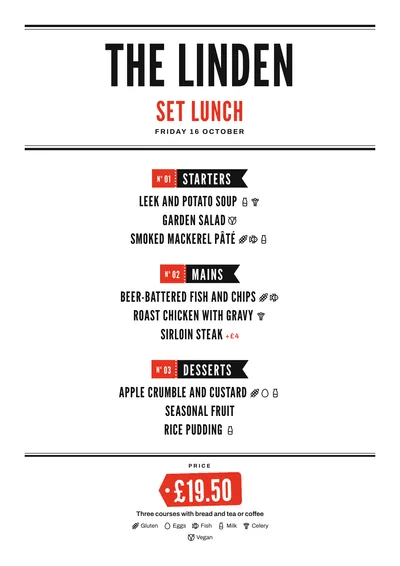
- Daily menu: each course on its numbered sign and the menu price on a large red tag.
If your seafood restaurant is more classic, compare it with Mariner. For a tins-and-vermouth bar, try Tinned.
Tips to get the most out of it
- Ideal for prices by weight or per piece: “65/kg” or “MP” fit on the tag just like a normal price.
- Give each section a short name: it is set in capitals on a black band.
- For a stall or a counter, the A3 poster turns your menu into a price board.
- The red of the tags is the accent: if you change it, choose a strong colour that reads well with white text on top.
Colours, fonts, columns and format can all be changed in the editor without losing the design. It works on A4, US Letter, slim A4, A5, booklet, tri-fold, A3 and images for social media.
 Riviera
 Poster
 Block
Block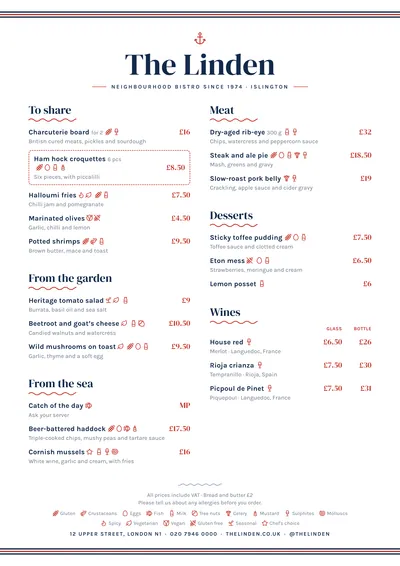 Mariner