Holly, stars and snowflakes
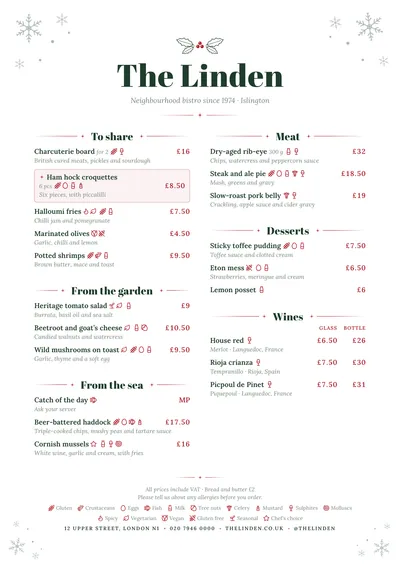
Winter places line-drawn snowflakes in the corners of the page, in a very soft green. A sprig of holly sits above the venue’s name: the leaves in the ink and the three berries in the accent. The name is set in Abril Fatface, a high-contrast poster face, in fir green, with a red star between two rules beneath it.
Section titles use the same typeface, centred between two eight-pointed stars with their rules. Dishes are set in Lora, a warm serif, with the description in italics and the price in red on the right. A featured dish has a star in front of its name and a very soft red background.
The menu it suits
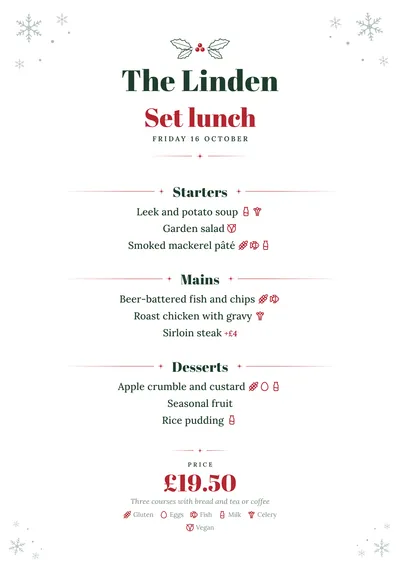
Christmas and New Year’s Eve menus, office Christmas lunches and dinners, Christmas Day menus and winter menus. On a set menu, the heading appears large in red under the venue’s name, the dates in capitals and the price at the bottom with what it includes: “Includes a glass of Prosecco on arrival, house wine and mince pies”.
It works just as well for a full two-column menu: stews, soups, roasts and seasonal puddings. Festive food is full of nuts, crustaceans and egg; mark them dish by dish with the icons or numbers for the 14 allergens, which are explained in the key at the bottom.
Formats where it shines
- A4: the centred Christmas menu or the two-column winter menu.
- A5: to leave a menu on every table.
- 4:5 post: to announce your New Year’s Eve dinner on social media.
- DL card: a menu card for an office party or a year-end banquet.
If you prefer a more art deco celebration, with gold and no Christmas motifs, compare it with Déco.
Tips to get the most out of it
- Start from the “Christmas menu” template: change the heading if it is for New Year’s Eve and write the dates as free text (“24 and 31 December”).
- If guests choose their main, say so in the section title (“Choice of main”) and list both dishes underneath.
- Put what the price includes (wine, fizz, mince pies) on the line under the price: it reads at a glance.
- The snowflakes are fine lines in a very soft green: they use almost no ink and print well at home.
Colours, fonts, columns and format can all be changed in the editor without losing the design. It works on A4, US Letter, slim A4, A5, booklet, tri-fold, A3 and images for social media.
 Romance